12 7 23 9 31 5 17
The complete chart
The full inventory: everything SnapperMapper does with your travel photos, and nothing it does behind your back.
Chart I
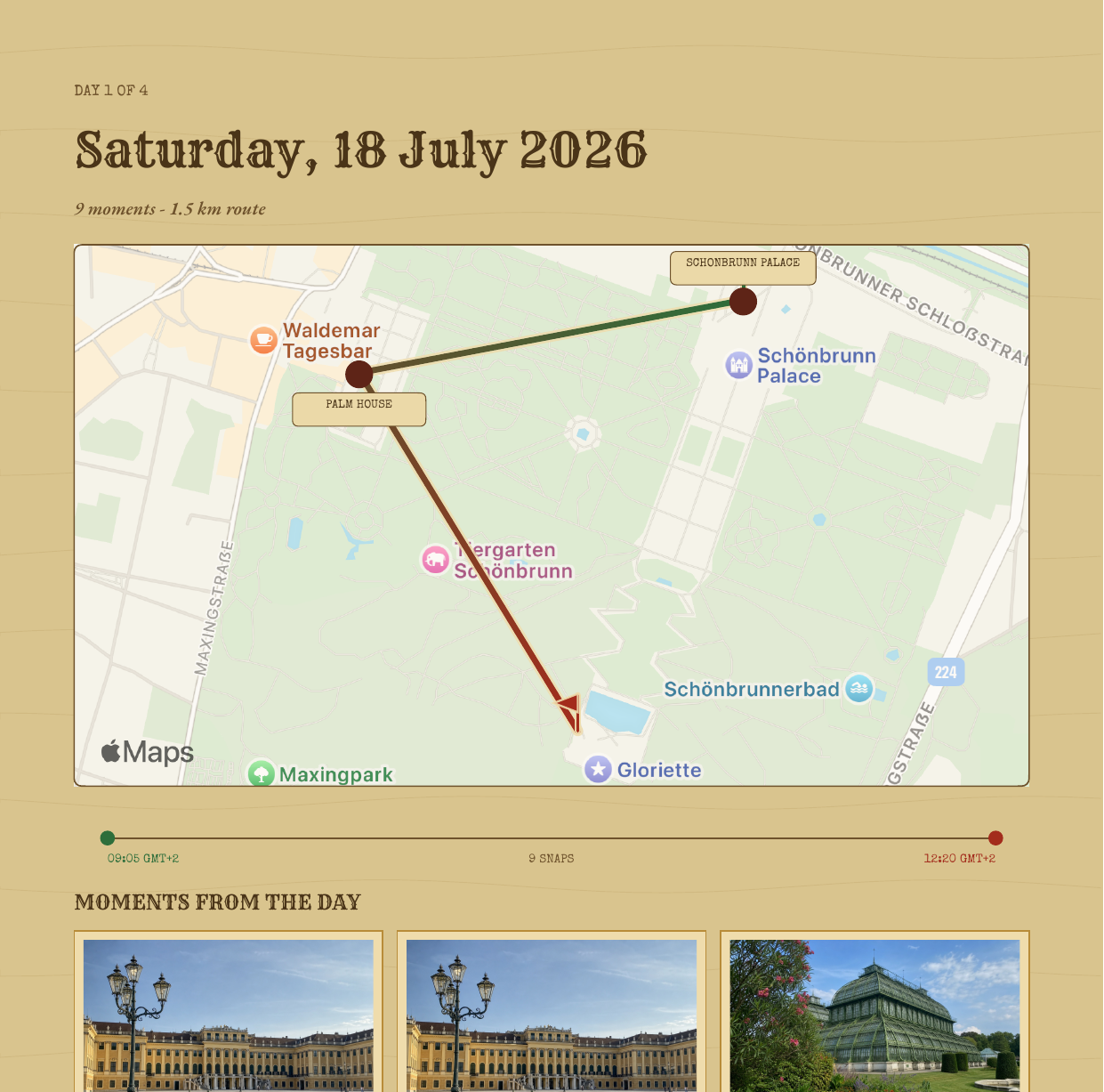
Each day of a trip becomes its own map: a custom parchment style with X marks, torn ribbons, brass day coins and your route drawn photo by photo. Stretches you didn't photograph appear as honest brass dots. Routes are never invented.
Parchment cartography · no blue water
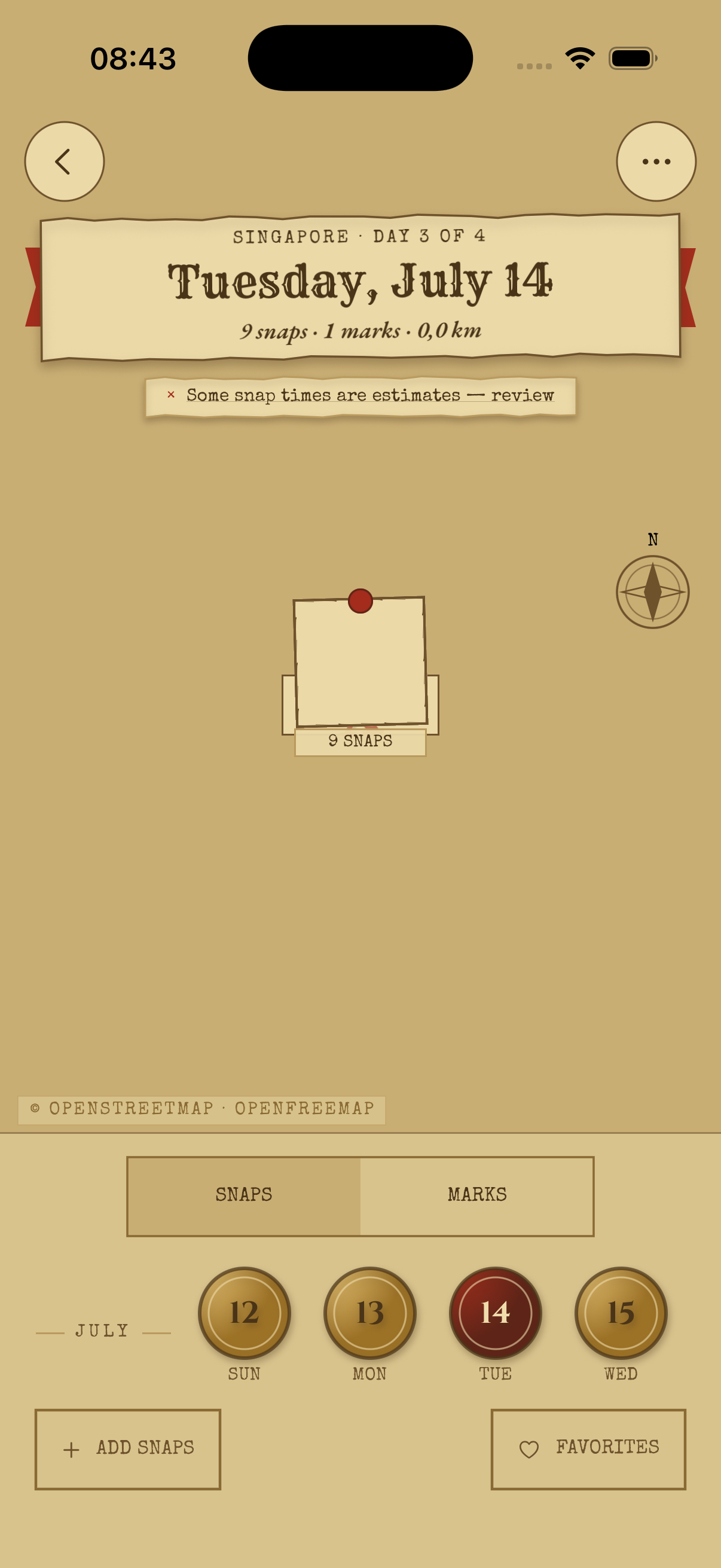
Chart II
The route colors itself from morning green to evening red, so you can see where the day began and where it wound down without touching anything. Wobbly GPS is quietly smoothed, and the trail stays readable at every zoom.
Read the rhythm of a day at a glance
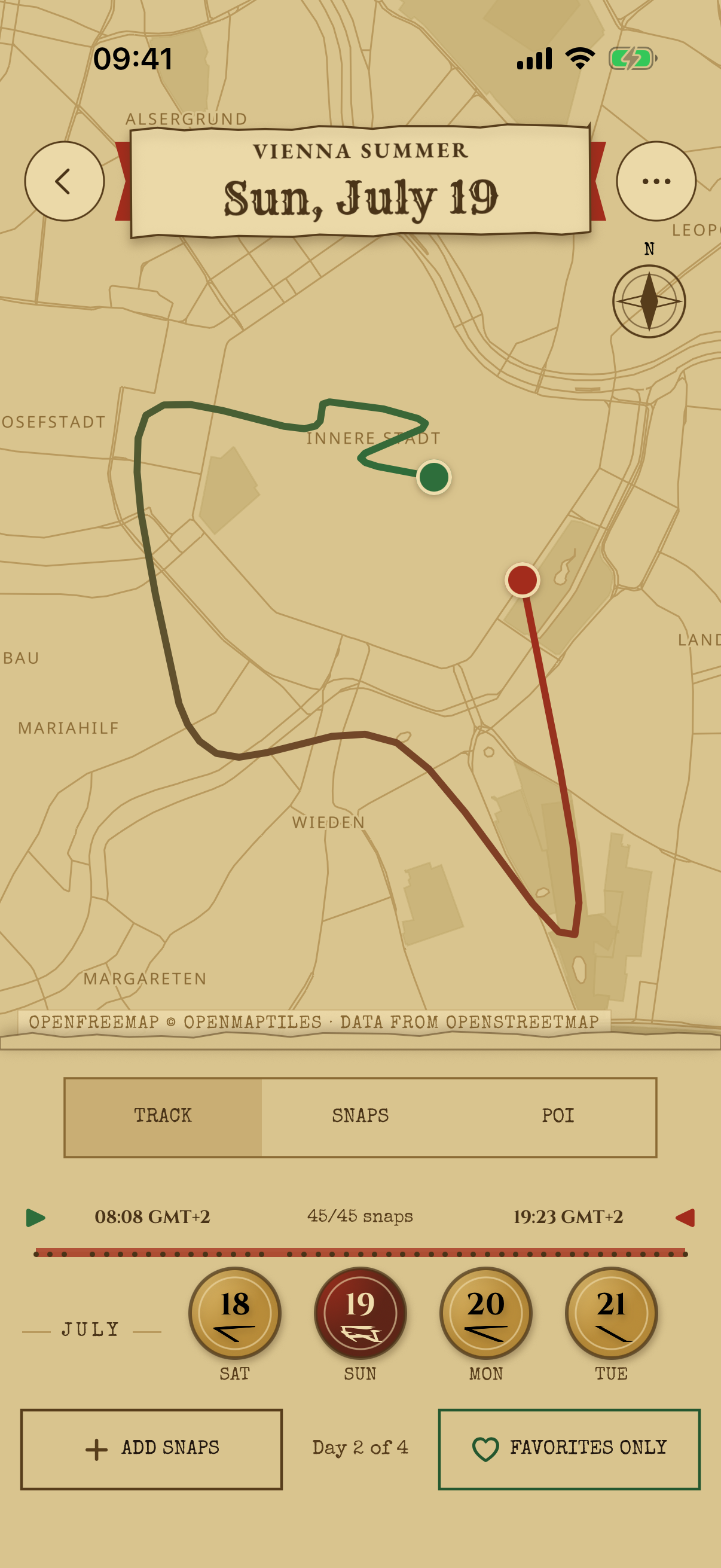
Chart III
Drag the timeline and a red playhead walks your actual trail. The nearest snap lights up as you go, shows its distance from the playhead, and the map follows along. Narrow the day with start and end handles, tap the timeline to reveal the playhead, and tap again to return to the complete day.
Scrub · play back · relive
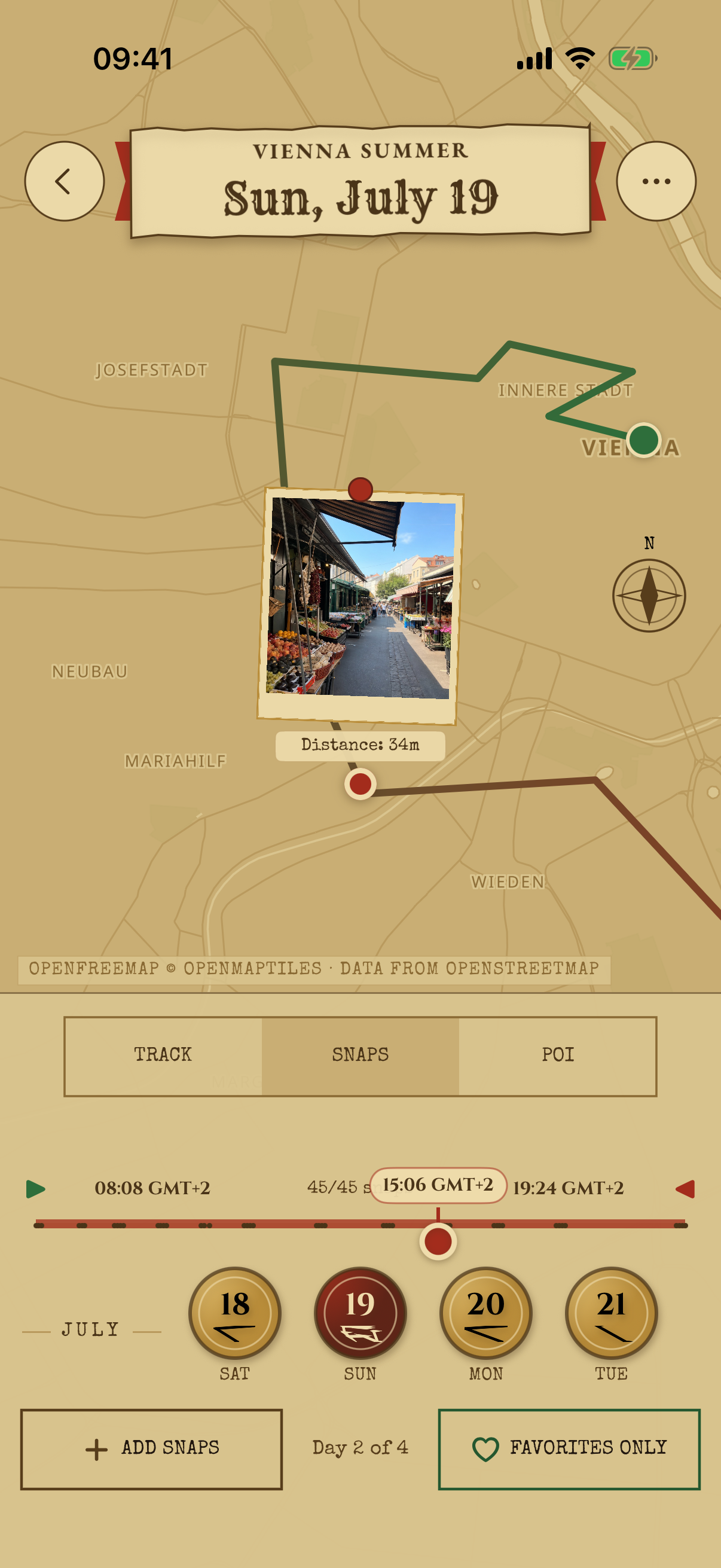
Chart IV
After dark, the whole app deepens into candlelit parchment. Nothing inverts and nothing glows blue. Your eyes stay adjusted, and the map still reads like a map.
The same map, by candlelight
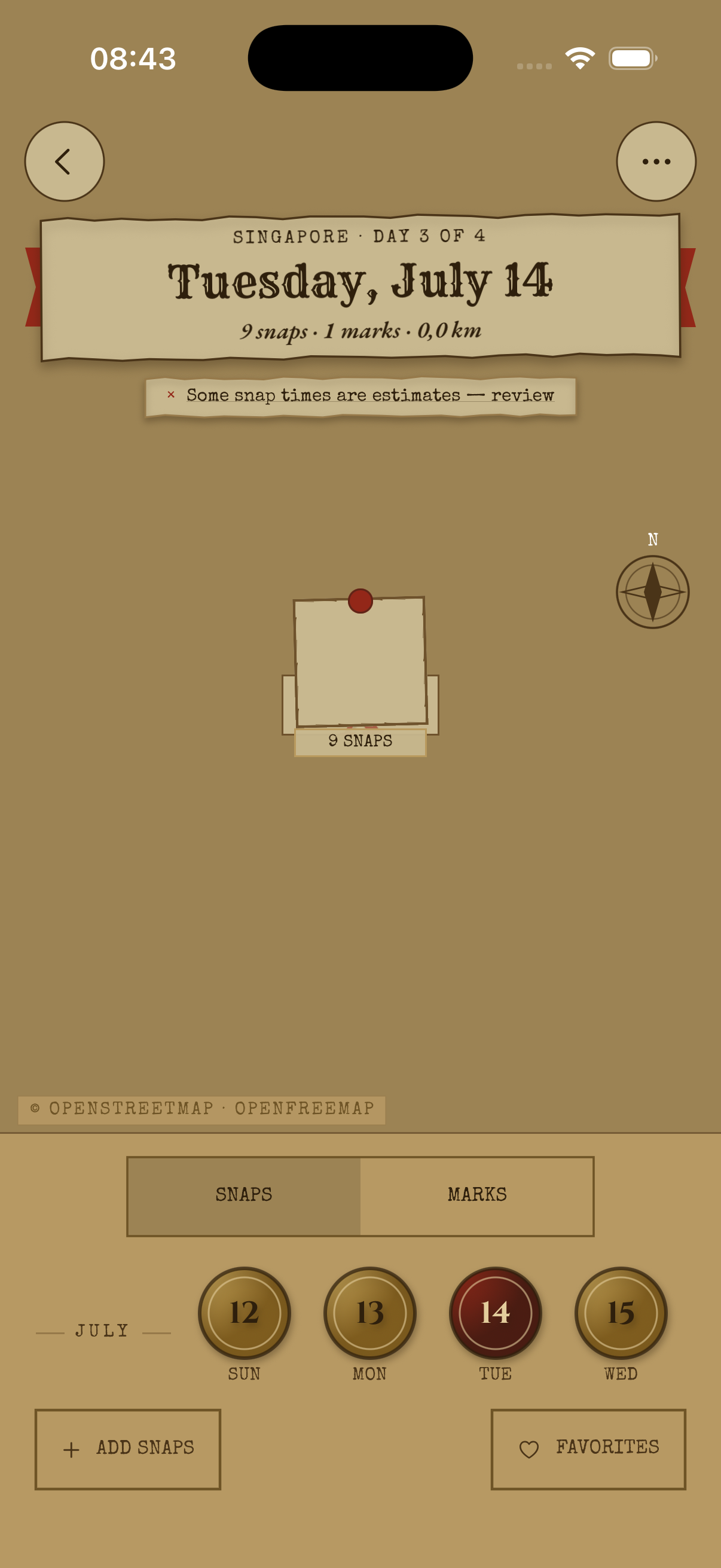
Chart V
Snaps cluster and separate continuously as you zoom, never popping. A compass control returns you to north-up in one tap, and leaving a day and coming back drops you exactly where you were: same center, same zoom.
North-up · zoom-adaptive · remembered
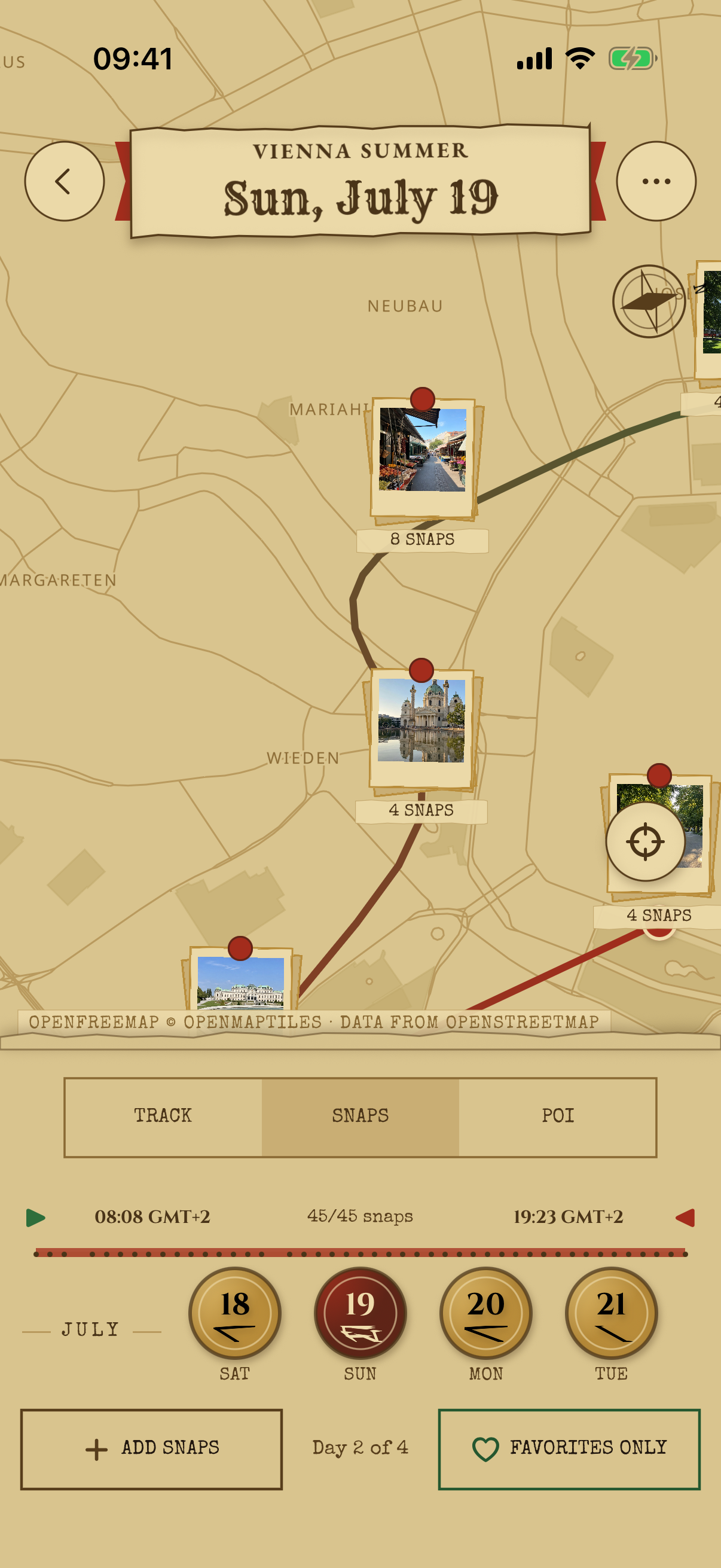
Chart VI
SnapperMapper works out where you stopped, whether it was the temple, the noodle bar, or the viewpoint, and labels it on the trail with how long you lingered. Zoom out and places consolidate; zoom in and they separate. Wrong guess? Pick an alternative or rename it yourself.
Automatic · zoom-adaptive · yours to overrule
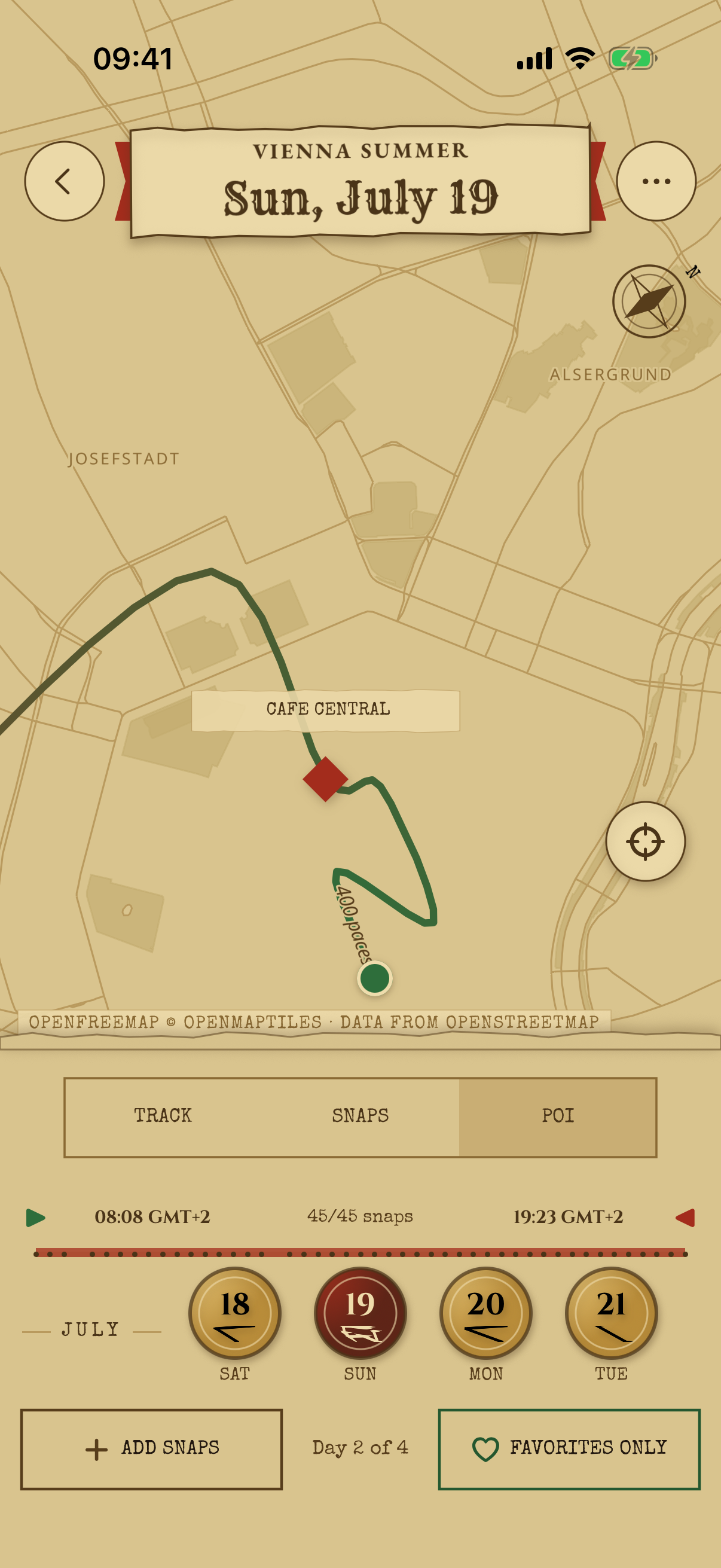
Chart VII
Make a place from any photo, right in the viewer, anchored to where the snap was actually taken. A searchable editor offers nearby suggestions and matches on partial names, and favorite places carry a small wax seal wherever they appear.
Any photo can mark the spot
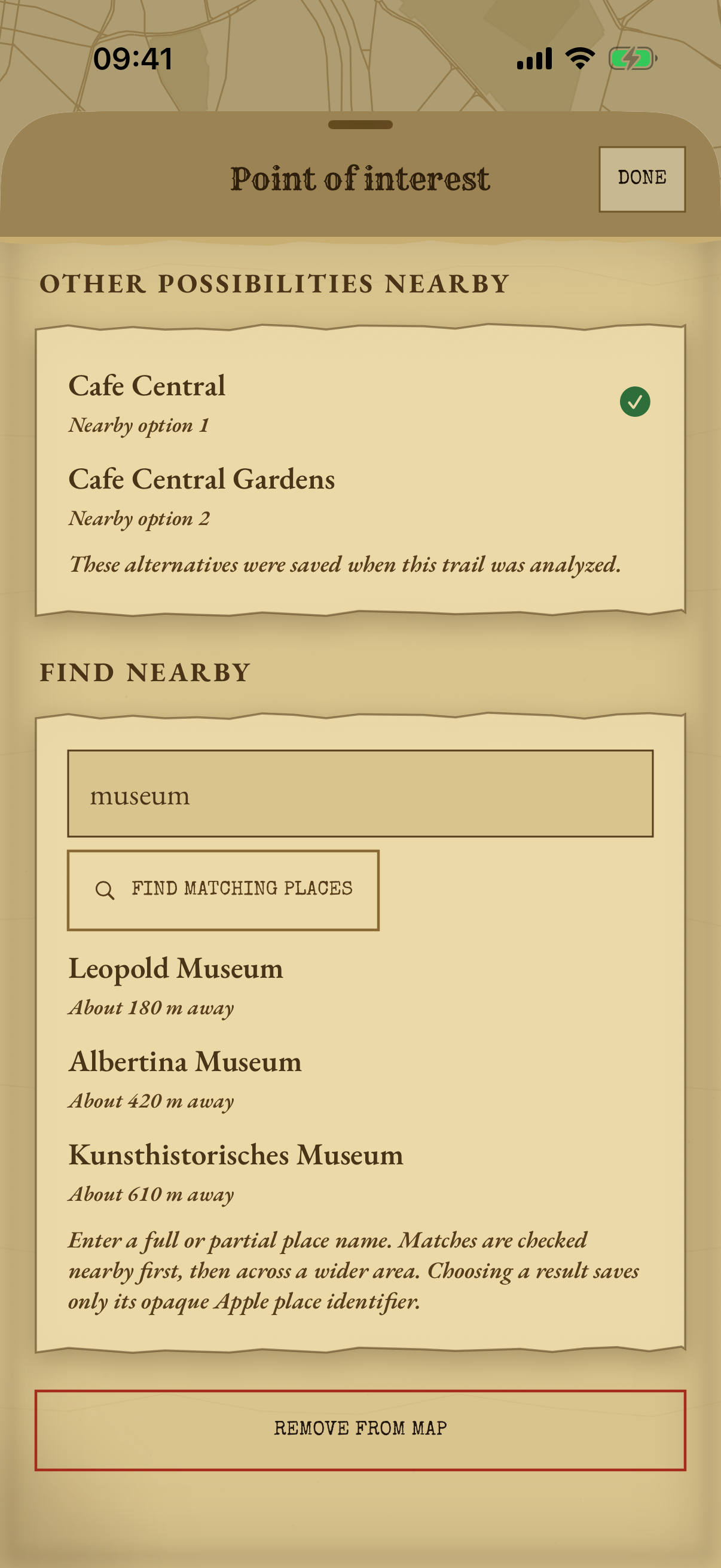
Chart VIII
Sort a day of photos with three swipes. The upcoming queue floats above the current snap, your recent decisions sit below it, and holding a queued snap compares it full-size before you commit. Undo goes as deep as you need, and progress survives leaving the screen.
Keep · favorite · hide
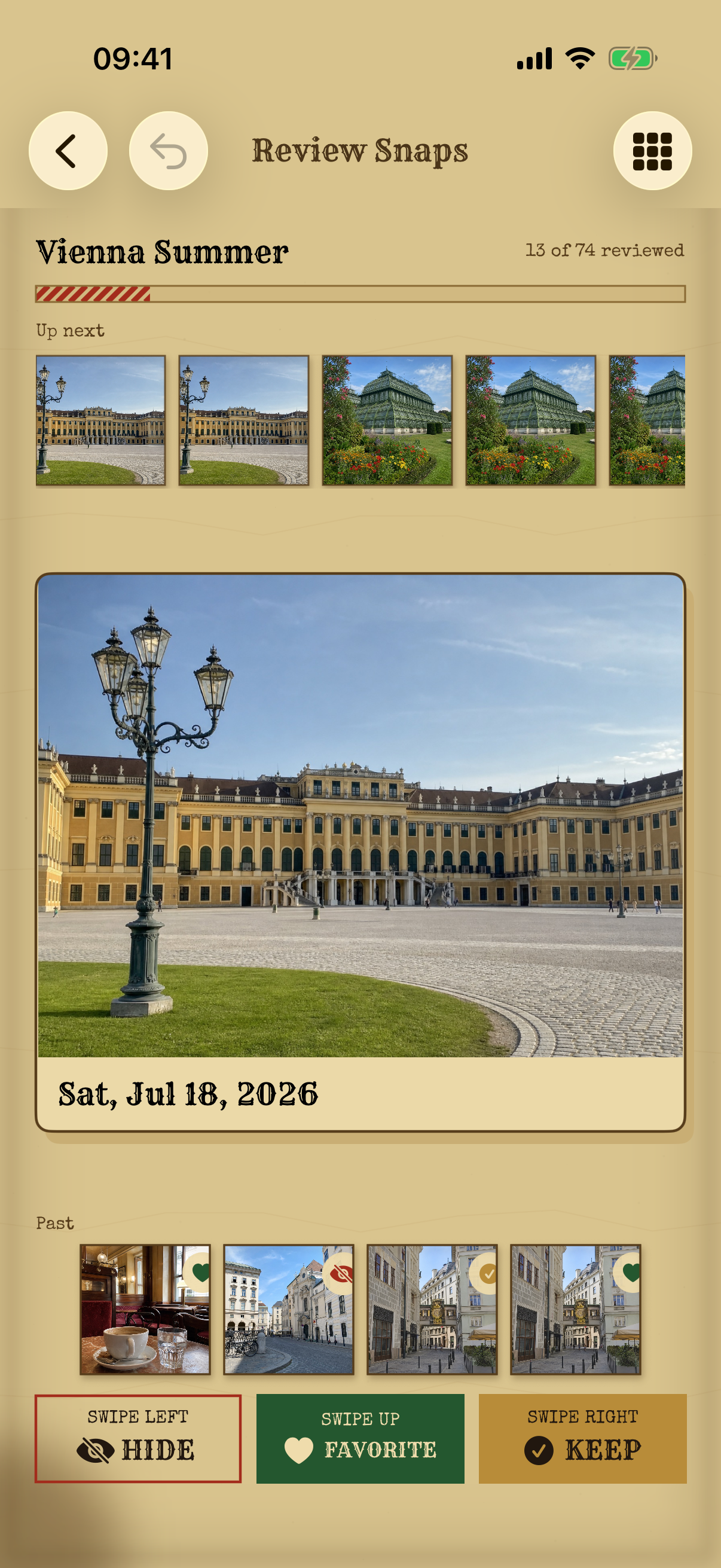
Chart IX
Every imported snap lives in a chronological grid grouped into collapsible days, with filters for hidden, kept, and favorite states. Change any snap's state whenever you like. Your Photos library is never modified; curation is the map's business, not your camera roll's.
Every decision reversible, forever
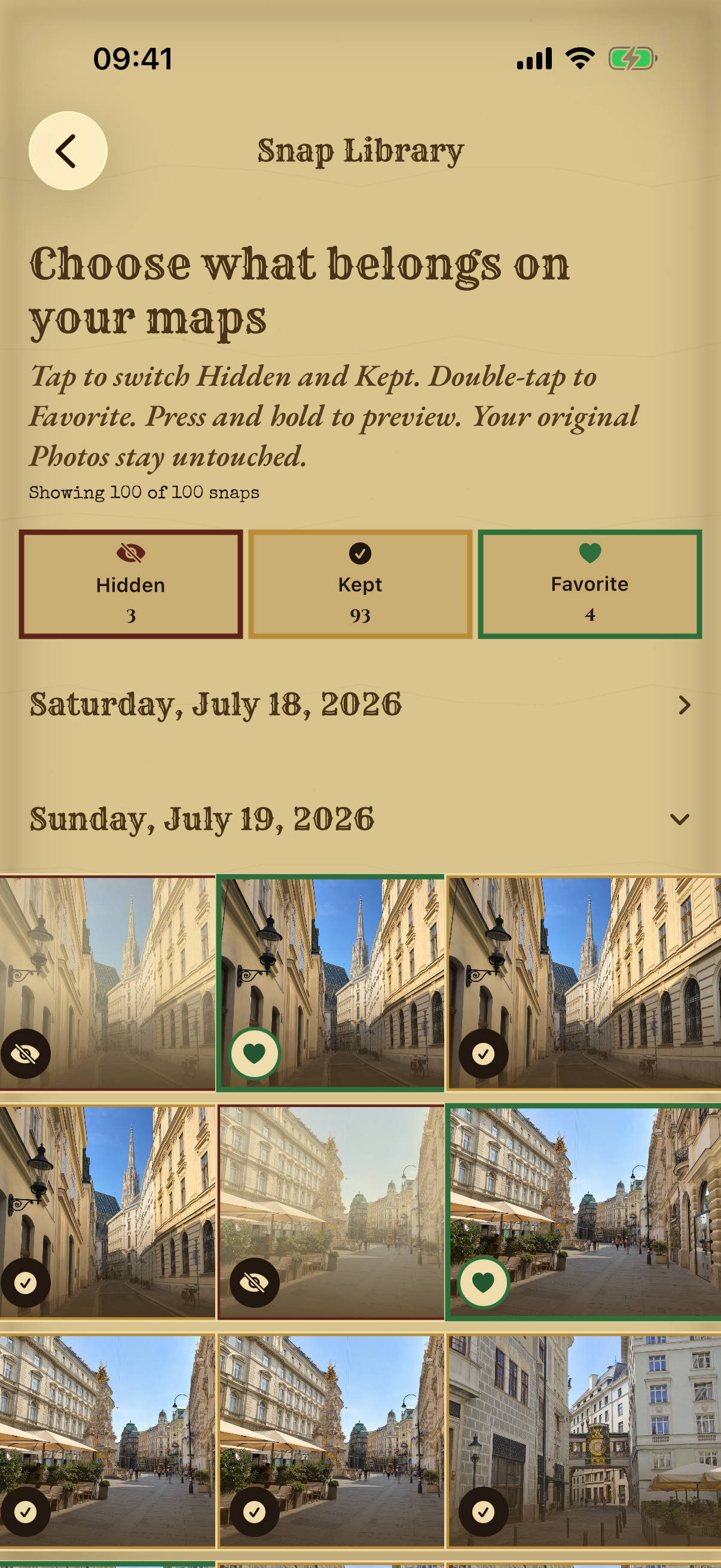
Chart X
Open any snap full-screen and swipe through the entire day in order, wherever you entered from. Each one carries its local time, its coordinates, and the place name once it resolves. Any photo can become the trip's cover in a single tap.
Swipe the whole day · set the cover
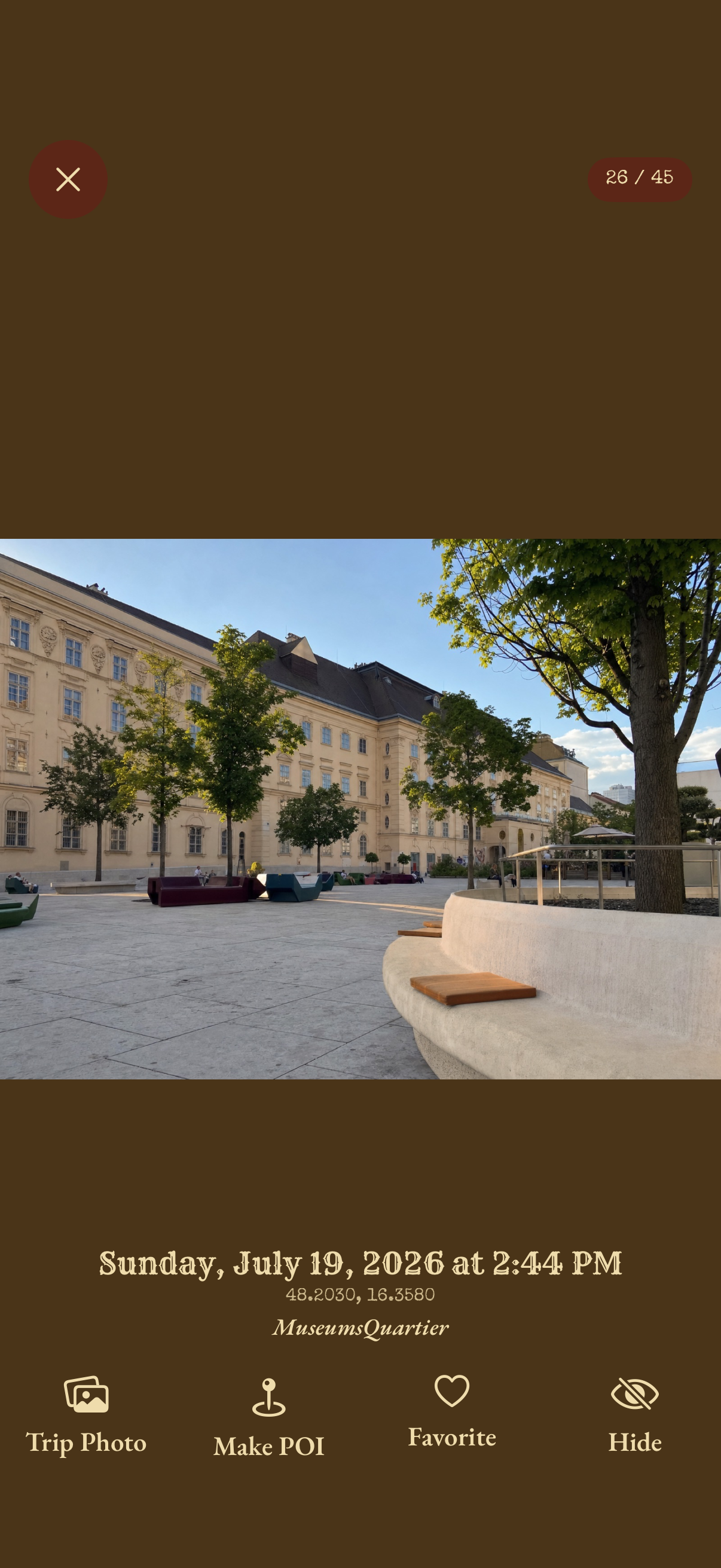
Chart XI
Likely selfies are recognized entirely on your iPhone and quietly badged. One switch keeps them out of exported journals; the route stays, your face stays home. No uploads, no new permissions, ever.
Detected on-device · nothing leaves
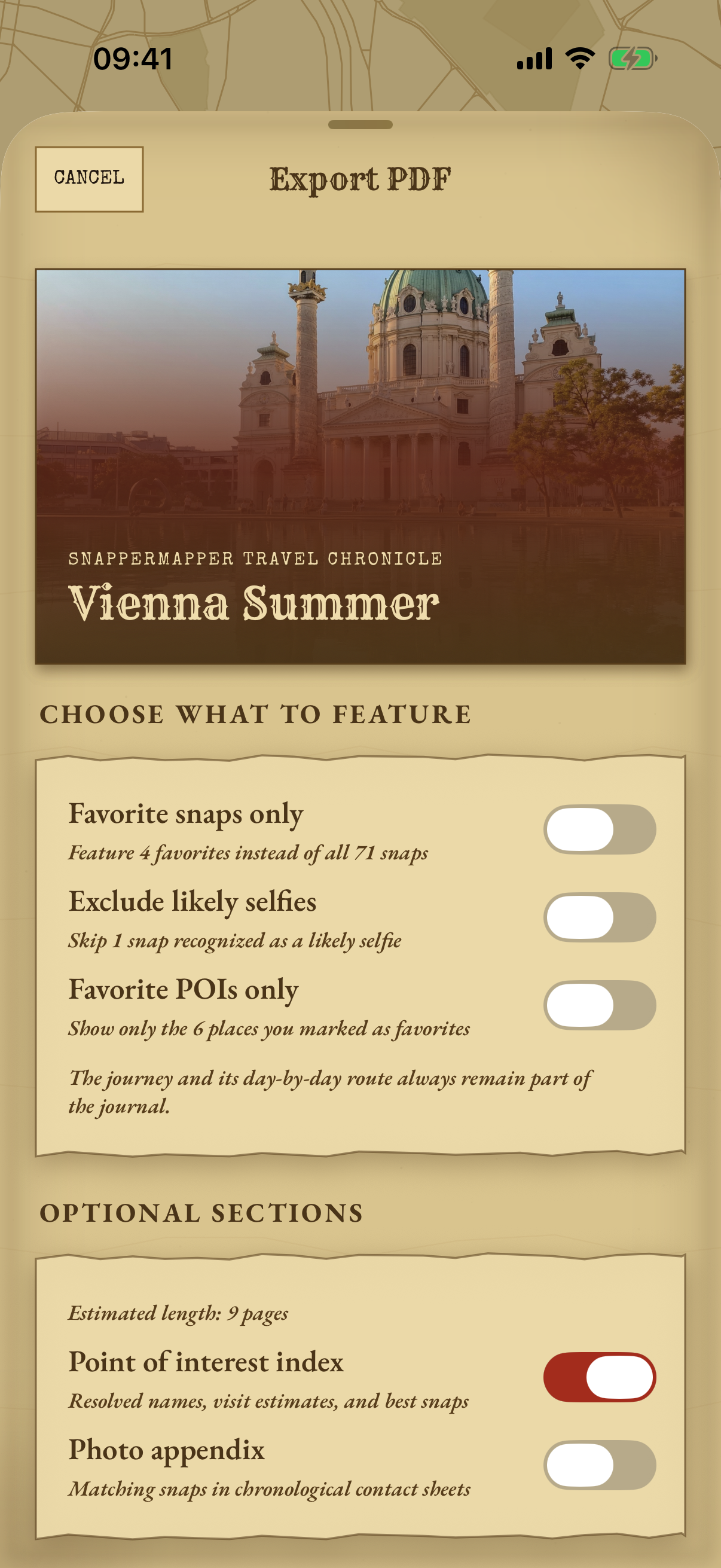
Chart XII
Turn a trip into a journal someone would actually want to read: photo grids, day chapters, and continuous route maps with start and end flags. Filter to favorites only, and every page is generated on your iPhone.
Print it · gift it · shelf it
Chart XIII
Build a Photos album from a trip's kept or favorite snaps. Every sync reconciles the album to exactly your current picks, and it never edits or deletes a single asset.
Exactly your favorites, every time
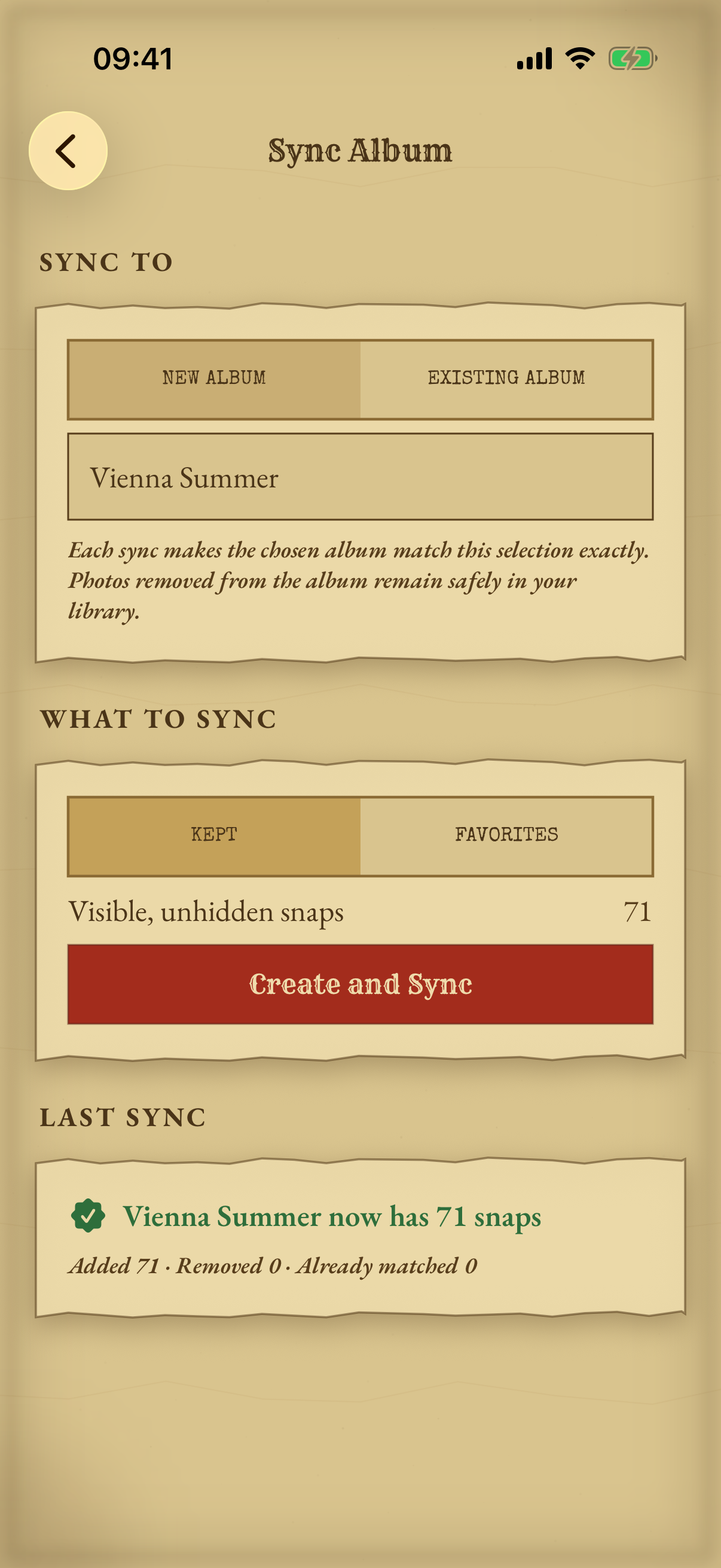
Chart XIV
A photo taken at 11pm in Tokyo belongs to the Tokyo day, not to whatever your phone thinks the date is now. SnapperMapper works out each photo's own timezone from where it was taken, tells you while a date is still provisional, and quietly re-files days as the answers firm up.
Your days, not your phone's timezone
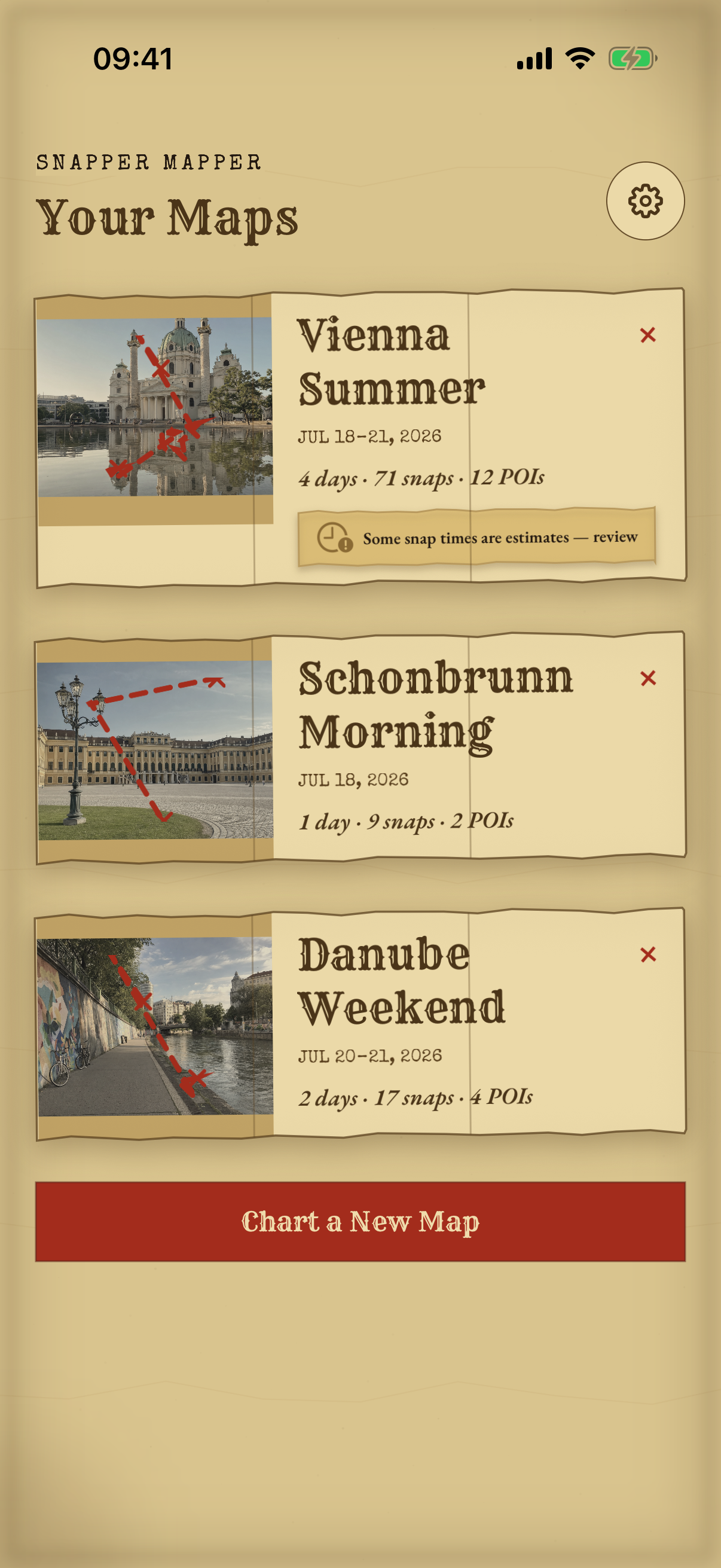
Chart XV
Choose a date range and SnapperMapper reads only what it needs. Maps, days and counts fill in while the import is still running, and you can keep browsing throughout. Adding photos later picks up where you left off, and an overlapping range never produces a duplicate.
Pick a range · add more later · never twice
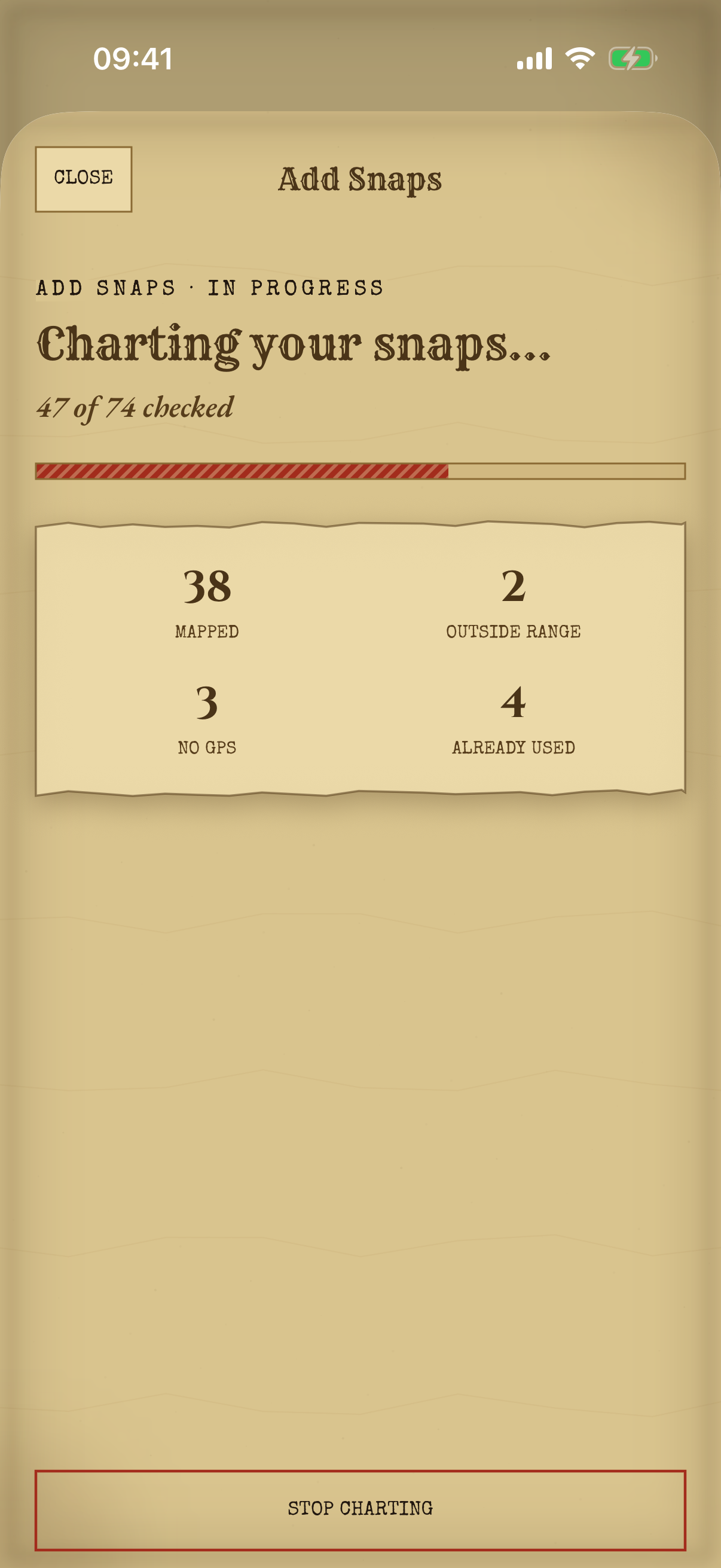
Chart XVI
Keep as many trips as you like, each with its own cover photo, date range, counts and a miniature route glyph of the whole journey. Names write themselves from the dates until you'd rather choose. Filed a day under the wrong trip? Move it. Days that meet merge cleanly instead of doubling up.
Rename · re-file · re-cover
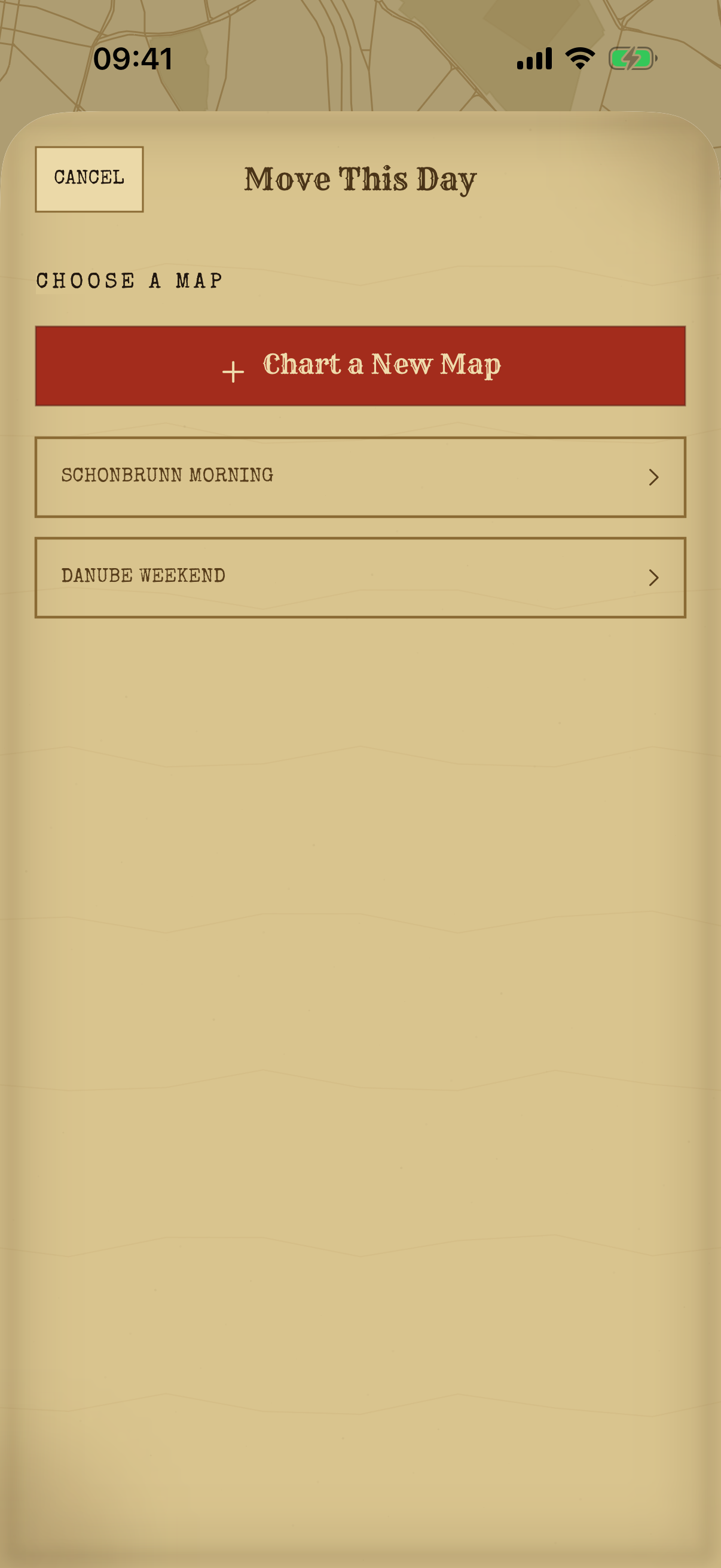
Chart XVII
A single Getting Started page explains the whole idea before you begin. It covers what Keep, Favorite and Hide actually do, and that hiding only ever changes SnapperMapper. It never nags you again, and it stays in Settings for whenever you want it back.
One page · then out of your way
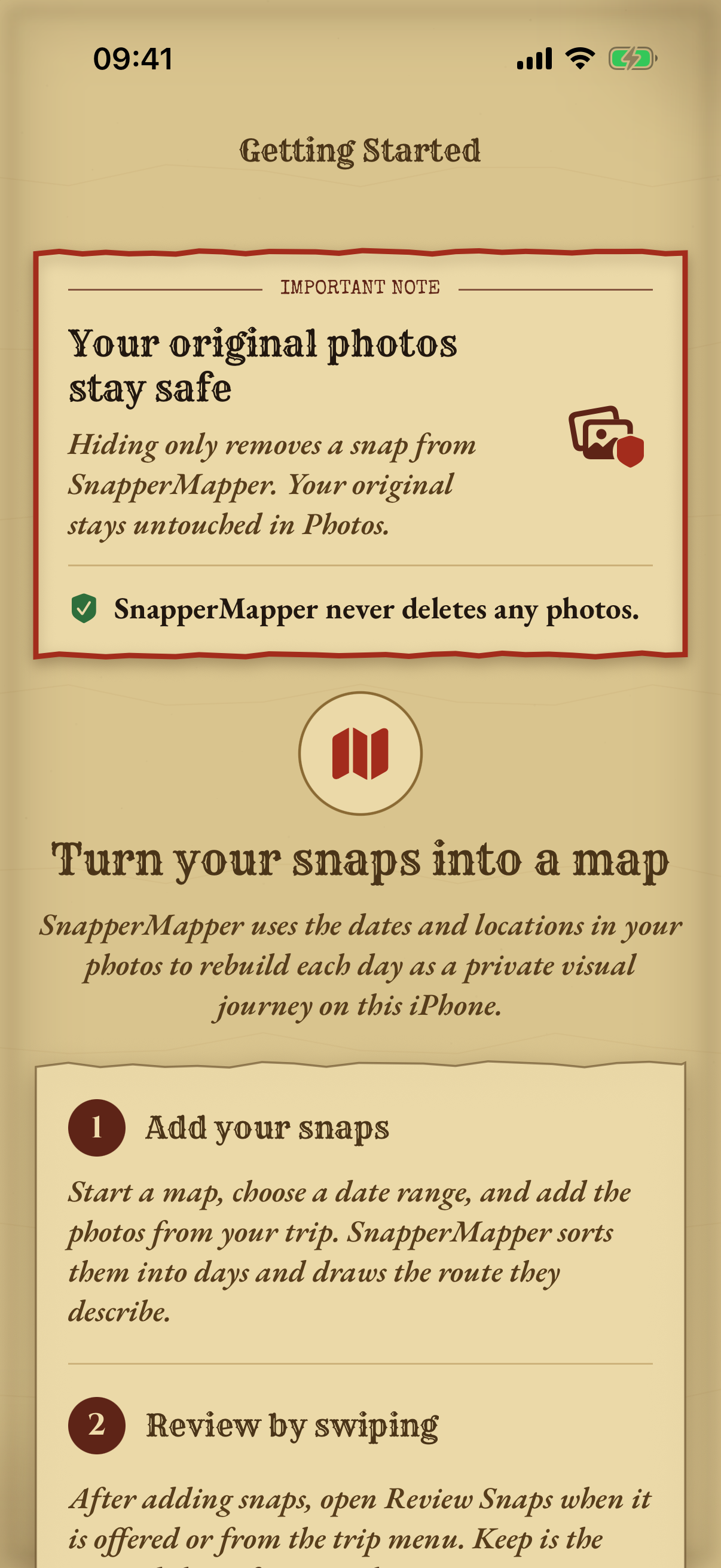
Chart XVIII
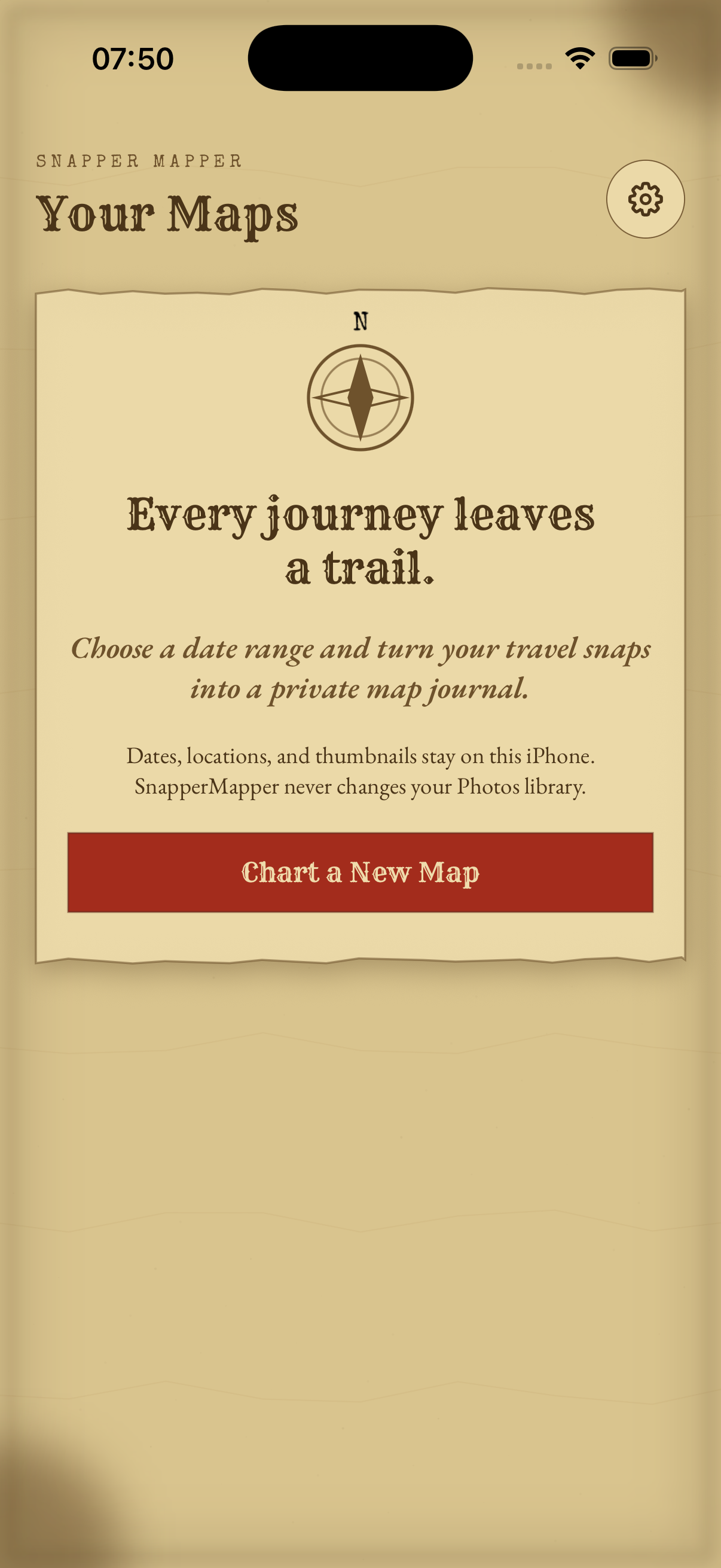
Everything happens on your iPhone. No account, no analytics, no photo ever uploaded. The app never deletes or edits anything in your Photos library. The only thing it will ever change, at your request, is which album a photo belongs to. It works under Limited Photos Access too, if you'd rather hand over only a selection.
No account · no cloud · no analytics

Free · No account · No cloud · iPhone